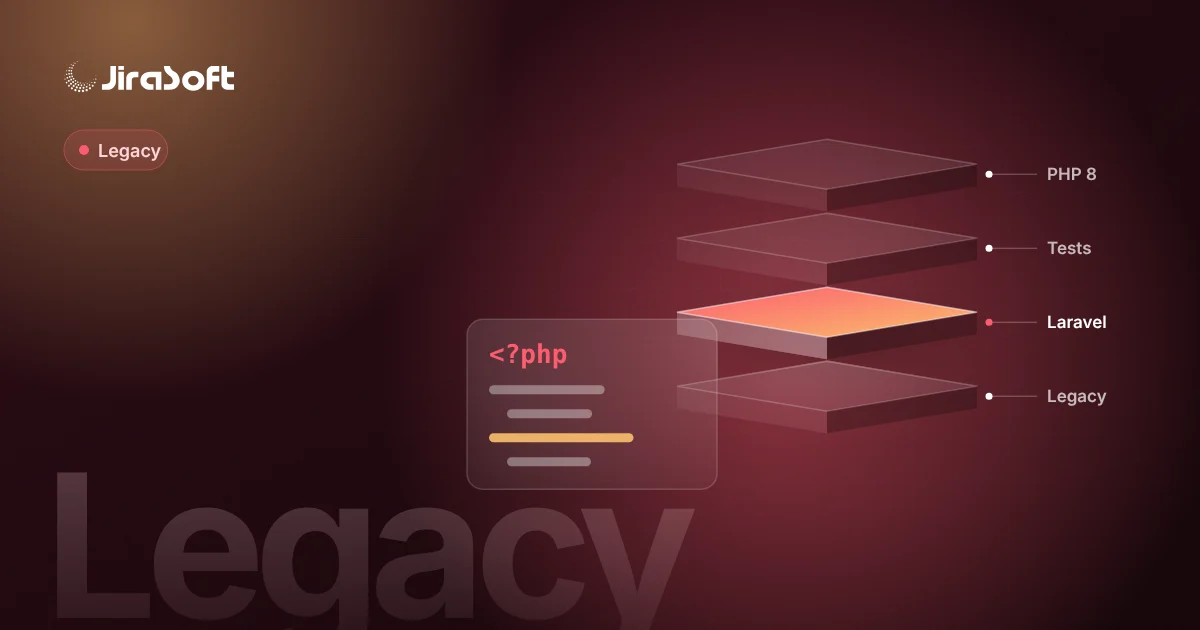
You can move a legacy PHP application to Laravel without a big-bang rewrite by running both side by side: a routing layer sends each URL either to the old code or to a new Laravel application, both use the same database during the transition, and you migrate one business capability at a time until nothing is left in the old codebase. The approach trades a single high-risk cut-over for many small, reversible releases. It needs discipline and good test coverage, but it lets the business keep shipping changes while the foundation is replaced.
Signs that your PHP system needs modernization
Not every old system needs to be replaced. It becomes urgent when several of these are true at once:
- It runs on PHP 7.4, 8.0 or 8.1, all of which no longer receive security fixes as of 2026.
- It depends on abandoned libraries or a framework version (for example an old Zend Framework or CodeIgniter 2/3 codebase) that cannot run on a supported PHP release.
- Small changes take weeks because nobody is sure what else they will break.
- Knowledge sits with one developer or with a vendor who is no longer around.
- The business needs things the system cannot offer: an API for partners, a customer portal, integration with a new ERP or PIM.
If only the last point applies, you may not need to migrate at all – an API layer in front of the old system can buy years.
Why big-bang rewrites fail
A full rewrite looks clean on paper, but it tends to fail for predictable reasons. The old system encodes years of business rules that are only discovered when the new one gets them wrong. The business cannot freeze requirements for a year, so the old system keeps changing and the rewrite chases a moving target. And the final cut-over changes code, data model, UI and integrations on the same day, which makes problems hard to isolate and almost impossible to roll back.
The incremental approach, step by step
1. Map the system and its real usage
Start with an inventory: modules, database tables, cron jobs, file imports, outbound integrations and user roles. Web server logs show which pages are actually used. It is common to find sections nobody has opened in years – those can be retired instead of migrated.
2. Put a safety net in place
Before touching behaviour, capture it. Characterisation tests record what the system does today – pricing for a particular customer group, the totals on an invoice export, the transitions of an order status. They do not judge whether the behaviour is correct; they make sure you notice when it changes. Add PHPStan with a baseline so new code meets a higher bar without blocking on old issues.
3. Upgrade PHP in the old codebase first
Where possible, bring the legacy application to a supported PHP version before the migration starts. Rector automates many of the required changes (deprecated functions, dynamic properties, changed signatures). This closes the most urgent security gap and lets old and new code run on the same runtime and servers.
4. Introduce the routing layer
Install a fresh Laravel 12 or 13 application alongside the old one. A reverse proxy or web server rule decides per path which application handles a request. On day one, everything still goes to the legacy code; Laravel answers nothing. From here, moving a feature means building it in Laravel and switching its route.
Three things must be shared for users not to notice the seam:
- Authentication – a shared session store or a small SSO so users log in once.
- Database – Laravel models map onto existing tables; schema changes stay backward compatible while the legacy code still reads them.
- Look and navigation – a shared layout so pages from both applications feel like one product.
5. Migrate capabilities, not files
Pick the order by business value and risk, not by code structure. Good first candidates are clearly bounded and read-heavy: a reporting screen, a partner API, a product catalogue export. Write-heavy core flows such as order entry come later, when the team is comfortable with the dual-running setup. Feature flags let you enable the new version for internal users first, then for a subset of customers.
6. Move background work into queues
Legacy systems often hide critical work in cron scripts. Migrate them to the Laravel scheduler and queued jobs with logging, retries and alerts. This is also the moment to make imports and exports idempotent, so that a rerun does not duplicate data.
7. Clean up the data model last
Only when no legacy code touches a table should you rename columns, split tables or add constraints. Doing it earlier forces changes in both codebases and removes the rollback option.
A sample data flow during transition
Consider an order portal where customers reorder products:
- The customer opens `/orders/new`, which is now served by Laravel and a Vue 3 frontend.
- Laravel reads products, prices and customer data from the shared database tables.
- On submit, Laravel writes the order into the existing tables with the same statuses the legacy back office expects.
- The legacy admin panel, still unchanged, shows the order to the sales team as before.
- A queued job sends the order to the ERP, replacing the old cron script.
The business sees a better ordering experience; the back office sees no change until its own module is migrated.
Common mistakes
- Rebuilding every quirk. Each migrated module is a chance to ask the business which rules are still needed.
- Skipping observability. Error tracking, logs and queue monitoring must exist before the first route is switched.
- No owner on the business side. Someone has to decide what "correct" means when old behaviour is ambiguous.
- Letting the transition drag on. Dual running has a cost. Set a target for retiring the legacy application and track the share of routes already moved.
Rewrite or migrate: how to decide
Choose incremental migration when the system is broadly right about the business, the data model is workable and downtime is unacceptable. A rewrite can make sense when the business model has changed fundamentally, the system is small, or the data model actively blocks the processes you need. Often the answer is mixed: migrate the core incrementally and redesign one or two areas from scratch.
If the modernization goes hand in hand with new ERP or ecommerce connections, see our guide to API integration services for ERP, CRM and ecommerce. If you are looking for an external team, our checklist on choosing a Laravel software house in Poland covers what to verify.
Next step
Begin with a short technical assessment rather than a quote for a rewrite: a review of the codebase, database, servers and integrations that ends with a migration order, a list of risks and a first module to move. We describe how we run these projects on the PHP and Laravel modernization page. If you want a second opinion on your system, contact us – read access to the repository and a list of integrations are enough to start.
Frequently asked questions
Can a legacy PHP app and Laravel share one database?
Yes, that is the usual setup during migration. Laravel models map onto the existing tables, and schema changes stay backward compatible until the legacy code no longer uses those tables.
Which part of the system should be migrated first?
A clearly bounded, mostly read-only capability with visible business value, such as a report, a partner API or a catalogue export. Write-heavy core flows like order entry are better moved later.
Should we upgrade PHP before migrating to Laravel?
Usually yes. Bringing the old code to a supported PHP version closes security gaps and lets both applications run on the same runtime. Rector automates much of that work.
When is a full rewrite the better choice?
When the business model has changed fundamentally, the system is small, or the data model blocks the processes you need. Many projects combine incremental migration with a redesign of selected areas.
How to turn this topic into a project
JiraSoft looks at topics like this through the lens of a real system: data, backend, API integrations, B2B workflows, Google visibility and content prepared for AI answers. This article is a starting point for a practical workflow conversation.